

See the business behind the numbers.
A command center that starts with how the business is doing and lets you trace any number to its cause.

How is the business doing, and what should I do about it?
The command center opens on the numbers a CFO checks first and the few things that need attention.
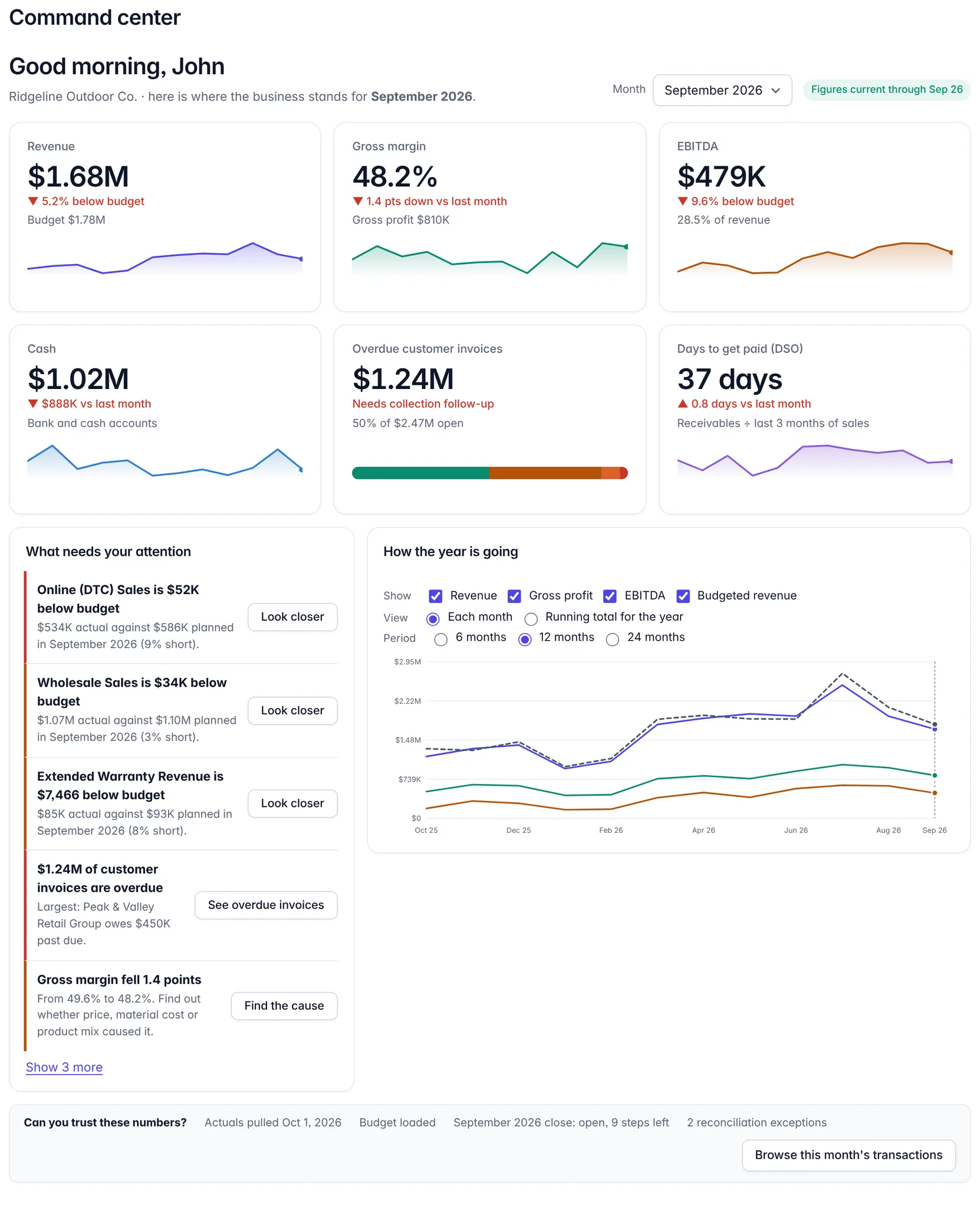
Six questions a CFO asks.
Each tile opens a drill-down into the accounts, transactions and customers behind it.
Why did EBITDA move?
In the productStart from revenue, margin and EBITDA against budget and last month, then trace the movement to the customers, products and accounts behind it.
Where is cash trapped?
In the productA 13-week cash forecast built from receivable and payable aging and bank data, with liquidity, committed purchases and the cash effect of what you owe.
Which customers or products matter most?
In the productMargin by product and customer, and a root-cause view that separates price, volume, mix and cost effects.
What risks are emerging?
In the productOverdue receivables, spending above budget and unusual transactions are surfaced in a short list of what needs your attention.
What happens if we change the plan?
In the productScenarios, break-even, driver-based and rolling forecasts, and goals that show their cash impact.
Which actions matter most?
Partly builtDecision support compares options and shows the financial impact. Ranking actions by impact across the whole business is not built yet.
The CFO and the Controller share one source of truth.
The Controller makes sure the books are right. The CFO uses them to decide. Both screens read the same data, so a number the CFO questions can be traced to the evidence the Controller already holds.
Board updates without the spreadsheet.
Generate a board update and a PowerPoint board report from the same figures, with AI-written commentary you review before it goes anywhere. AI features are off until an administrator turns them on.